Cleaner daily tracking
Turn bookings, orders, queues, and follow-ups into records your team can see and update.
Lucena City, Quezon · Business Systems Developer
I help small businesses replace chat-based tracking, spreadsheets, notebooks, and manual follow-ups with web systems for booking, queue, seller, order, admin, and dashboard workflows — backed by Supabase and tested on real devices.
Who I Help
Best fit: small businesses already handling bookings, orders, customer updates, staff assignments, stock, or follow-ups — but still relying on chats, spreadsheets, notebooks, or memory to know what is happening.
Turn bookings, orders, queues, and follow-ups into records your team can see and update.
Give owners, staff, sellers, and customers the right views so they only work with records meant for them.
Show pending work, completed activity, stock concerns, customer flow, and bottlenecks in one place.
Common Client Problems
Broken access, messy records, checkout mistakes, missing dashboards, mobile friction, and processes that depend too much on manual checking.
Fix auth-state problems, missing profile records, failed onboarding, and pages that break after login.
Review table structure, relationships, foreign keys, naming, and whether the database matches the real process.
Plan record access so buyers, sellers, staff, and admins only see or change the right information.
Improve stock checks, cart validation, order creation, seller grouping, and checkout failure handling.
Debug insert/update errors, validation gaps, wrong selectors, missing fields, and silent JavaScript failures.
Check environment variables, Supabase links, local/cloud differences, CLI issues, and production cleanup.
Services Offered
Start with one painful process, then build the backend, screens, access rules, and deployment path needed to make it usable.
Tables, relationships, login flow, file storage, and app connections for real business records.
Buyer, seller, staff, owner, and admin access planned around who should control each record.
Check project settings, app links, environment variables, local/cloud differences, and Vercel deployment notes.
Forms, dashboards, filters, status updates, cart actions, and app screens using HTML/CSS/vanilla JS.
Seller onboarding, products, orders, stock checks, tracking, and moderated reviews/ratings.
Console debugging, error handling, rollback thinking, mobile checks, and production-readiness cleanup.
Freelance Starting Points
A good first engagement is a review, fix sprint, or small MVP around one process: booking, order tracking, seller tools, access rules, or a messy prototype that needs to become reliable.
A focused review for an existing app, database, or prototype. I look at the business process, data structure, login flow, deployment setup, console errors, and mobile behavior, then return a practical fix plan.
A small-business operations system based on your actual daily process: appointments, queues, services, staff, status updates, simple owner dashboards, and customer-facing tracking.
Seller dashboards, product management, order tracking, review workflows, stock checks, buyer lookup, and admin tools backed by clear data rules and practical JavaScript screens.
Good Fit
I am strongest when the work involves records, permissions, status changes, owner/staff views, mobile usability, and processes currently handled through chats, spreadsheets, notebooks, or memory.
Screenshots, table notes, current URLs, error messages, sample forms, or a plain-language description of how the business works.
A practical build or fix plan, then working Supabase-backed screens with safer data access, clearer workflows, and mobile behavior checks.
“Here is how we currently handle bookings/orders/customers. Can you help make this workflow cleaner and trackable?”
Proof Through Working Systems
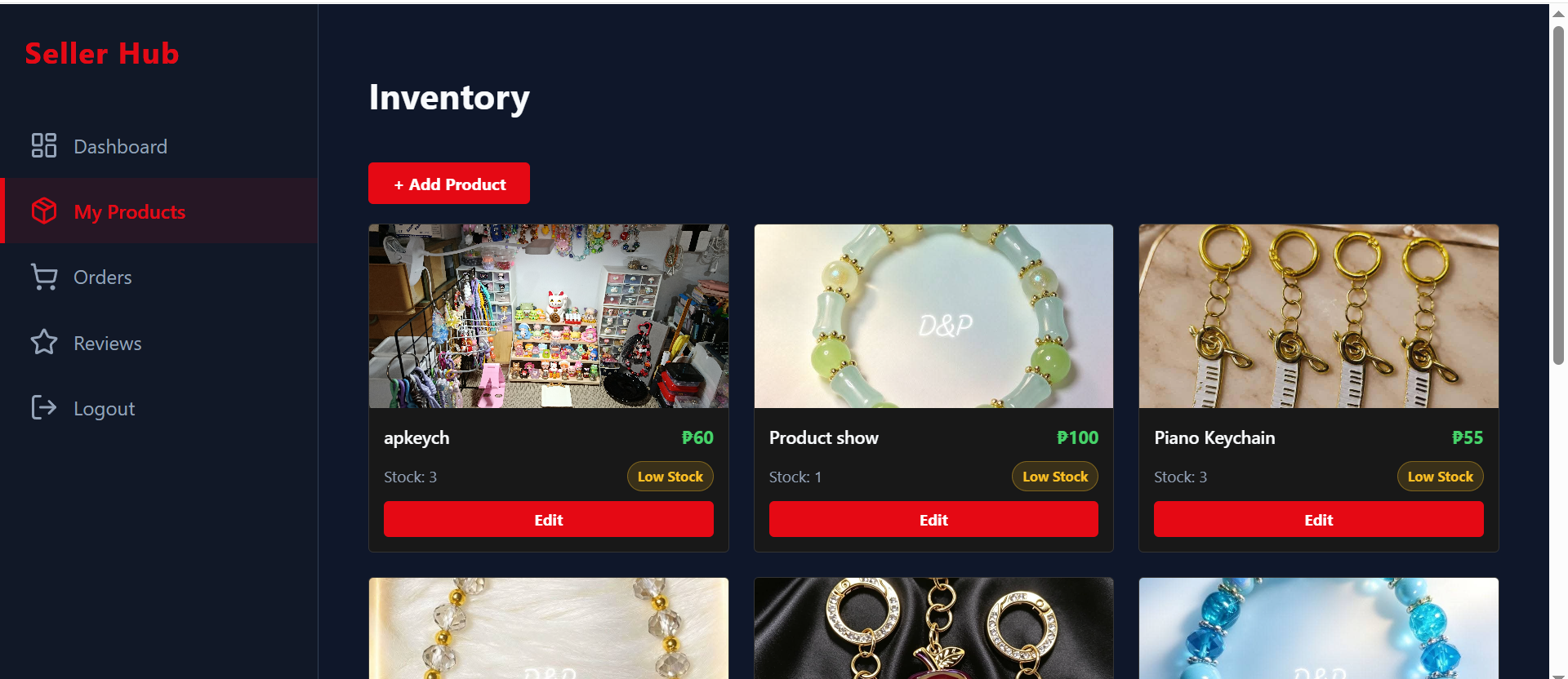
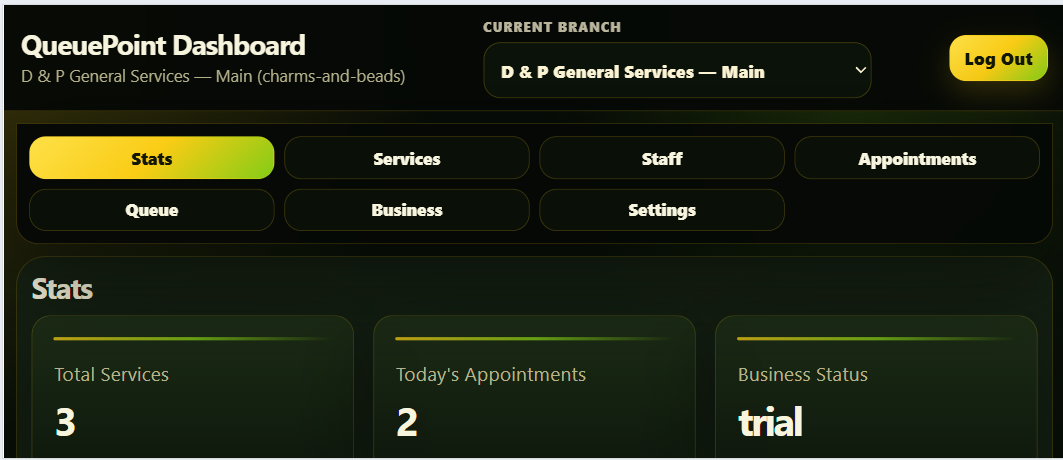
Marketplace proves commerce operations: seller products, orders, stock, tracking, and reviews. QueuePoint proves appointment operations: branches, services, staff, queues, settings, and public/customer workflows.
Project 1 · Marketplace
Small sellers need product, stock, order, tracking, and review workflows that do not depend on manual checking after every sale.
Browse products, add to cart, checkout as guest, track the order, leave a review/rating, then inspect the seller-side workflow.
Project 2 · QueuePoint
Appointment-heavy businesses need a simple way to manage public booking, branch/location choices, staff/service setup, queue movement, and customer tracking.
Choose a branch/location, book an appointment, save the code, track it, then test dashboard status and queue movement.
Where This Applies
The examples can apply to booking, seller, internal admin, hotel, inventory, and service workflows: organize the records, define who can access them, show the status, and make the daily work easier to track.
Appointments, queue status, services, staff, public tracking, and owner/front-desk dashboards.
Products, stock, orders, checkout, buyer tracking, customer reviews, and seller dashboards.
Admin panels, customer records, approvals, reports, status changes, and protected team access.
Why I Think This Way
My earlier work in systems analysis, programming, application support, and business software still shapes how I build today: start with the process, identify the records, protect access, handle exceptions, then build the screens around real use.
I start by understanding how the business actually operates: who enters data, who owns records, what changes status, and where mistakes can cost time or money.
My builds focus on who owns each record, who should see it, who can change it, and how to keep customer and business data separated safely.
I test real mobile behavior: sticky navigation, Android Back, keyboard layouts, landscape screens, form safety, and user-error recovery.
Technical Proof
This is where the technical proof lives. The homepage explains the business value; these tools show how the systems are protected, connected, deployed, and tested.
Supabase, PostgreSQL, SQL, RLS policies, RPC functions, Auth, Storage-ready architecture, table relationships, and data ownership rules.
HTML, CSS, vanilla JavaScript, ES modules, DOM workflows, form validation, CRUD screens, responsive layouts, and dashboard UI logic.
GitHub, Vercel, environment variables, Chrome DevTools, Android remote debugging, QA testing, production cleanup, and technical documentation.
Partner-Supported Services
My core role is building practical business systems. When a project also needs branding, visual content, or app prototype support, D & P Systems can coordinate trusted collaborators while keeping one clear technical point of contact.
Core service: software systems. Optional support: collaborator-assisted design, video, branding, or prototype assets when the project needs them.
Mobile or desktop app prototype support can be coordinated through trusted collaborators when a project needs to test an app idea alongside a Supabase-backed workflow.
Video and presentation-ready visual assets can be coordinated through trusted strategic collaborators when the software project also needs client-facing materials.
Logo concepts, basic brand visuals, social media graphics, and presentation-ready design assets can be supported through trusted collaborators when needed.
Real-Device QA & DevTools
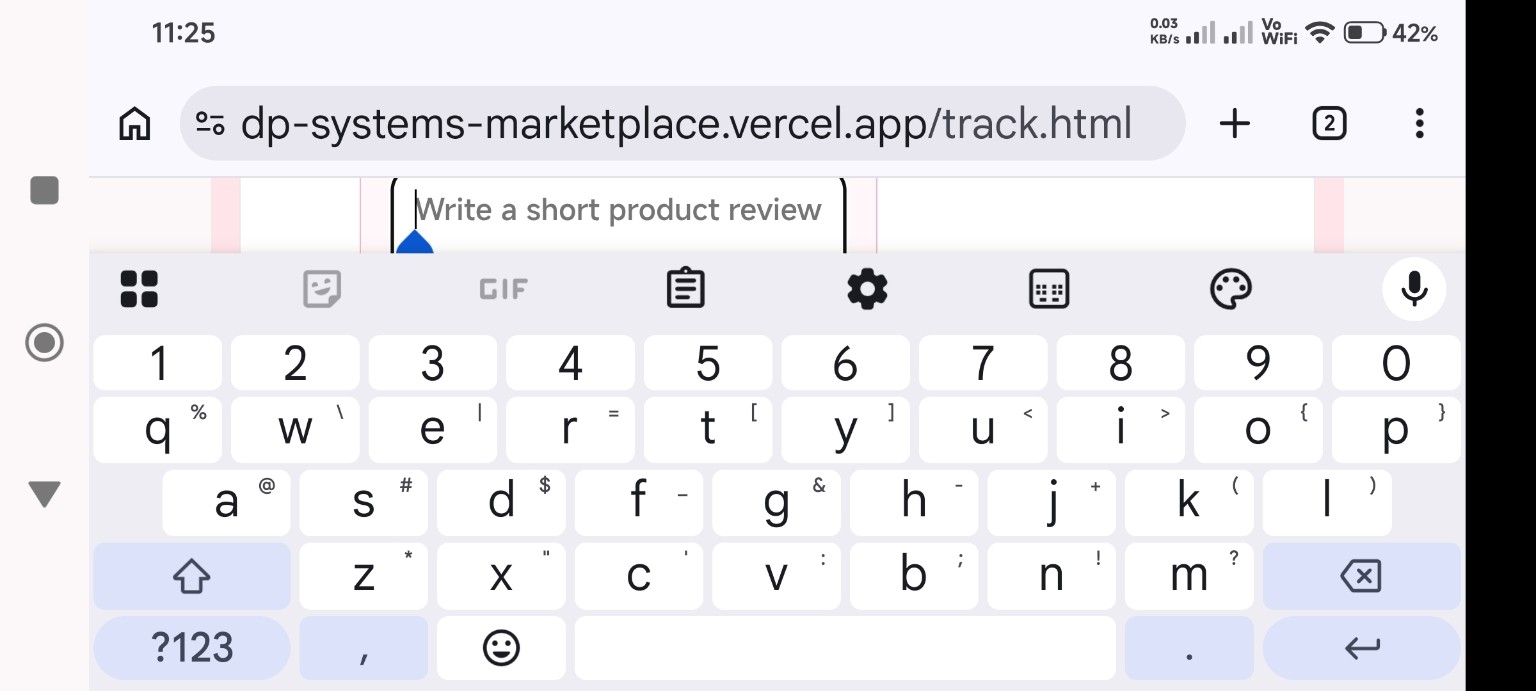
The projects were tested on real Android devices so key actions still work when screens are small, the keyboard is open, navigation gets tricky, or users press Back at the wrong time.
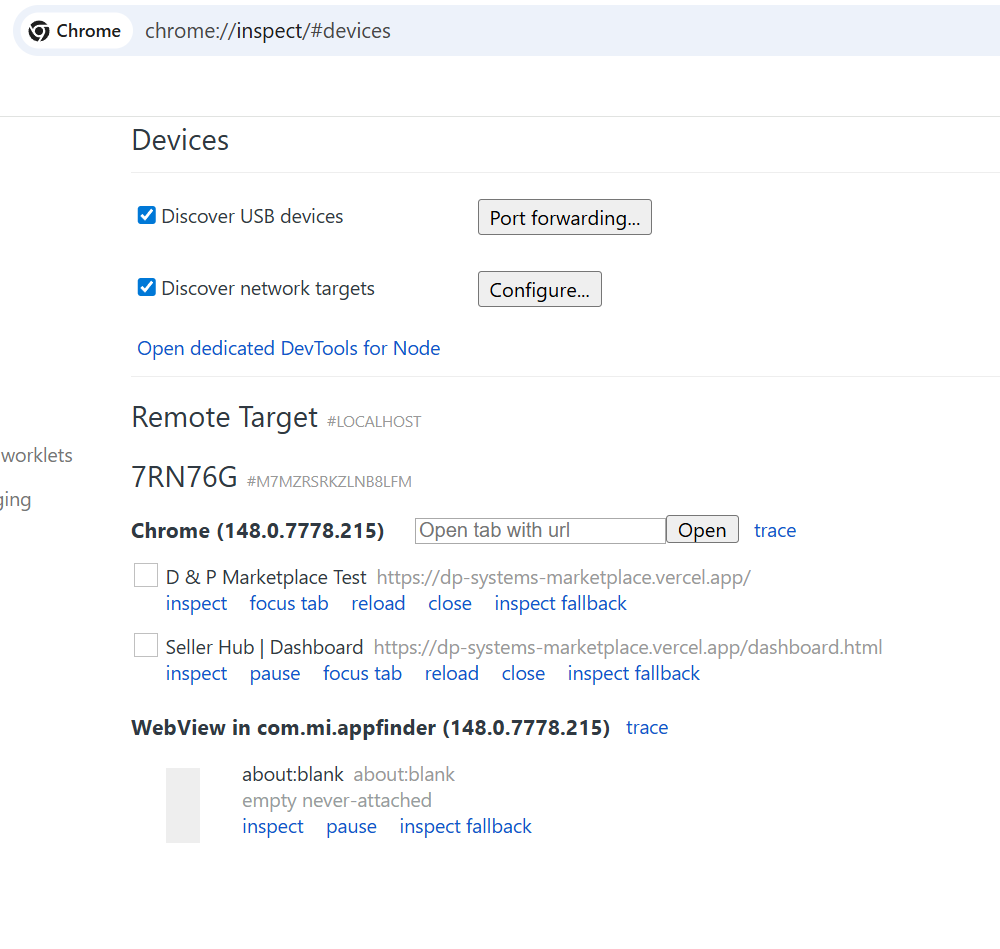
chrome://inspect with USB debugging to
inspect live Android Chrome tabs, focus mobile pages, monitor
console behavior, and validate marketplace flows on a real phone.
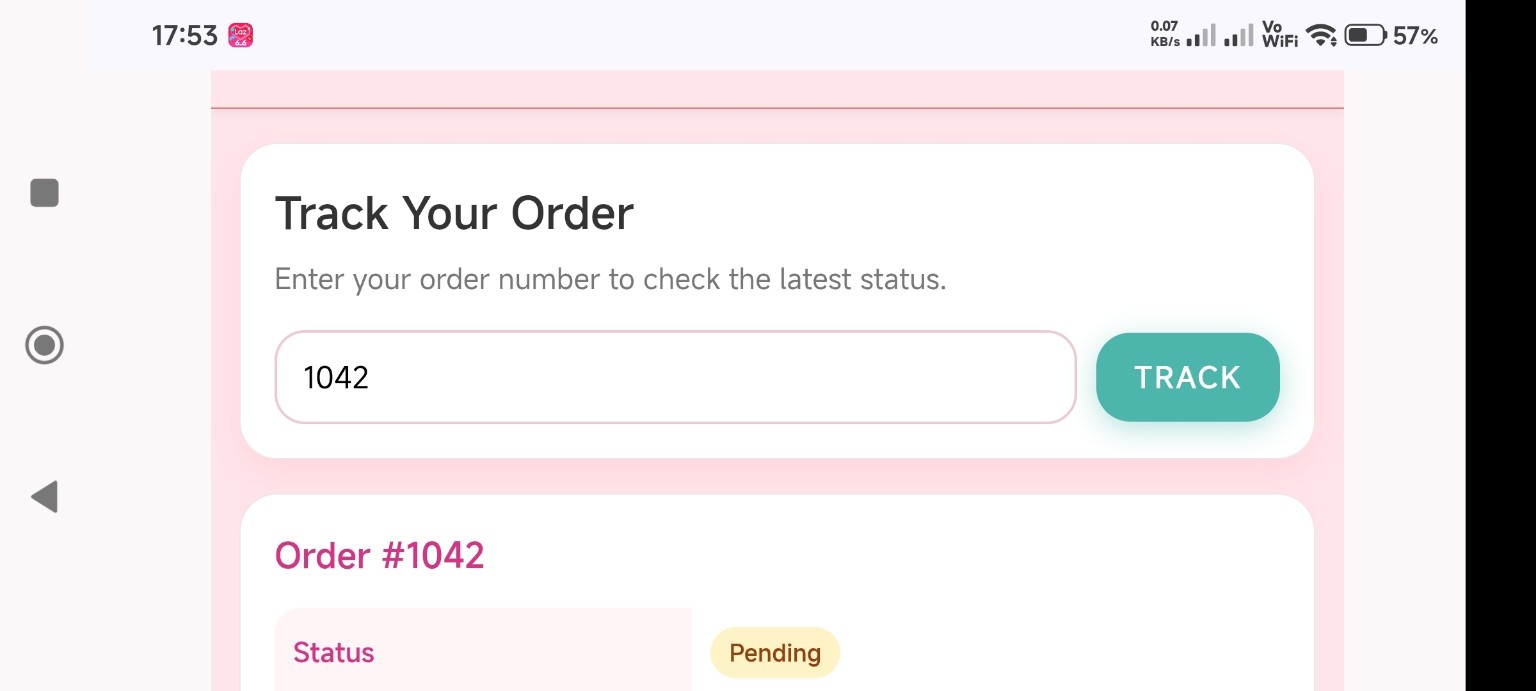
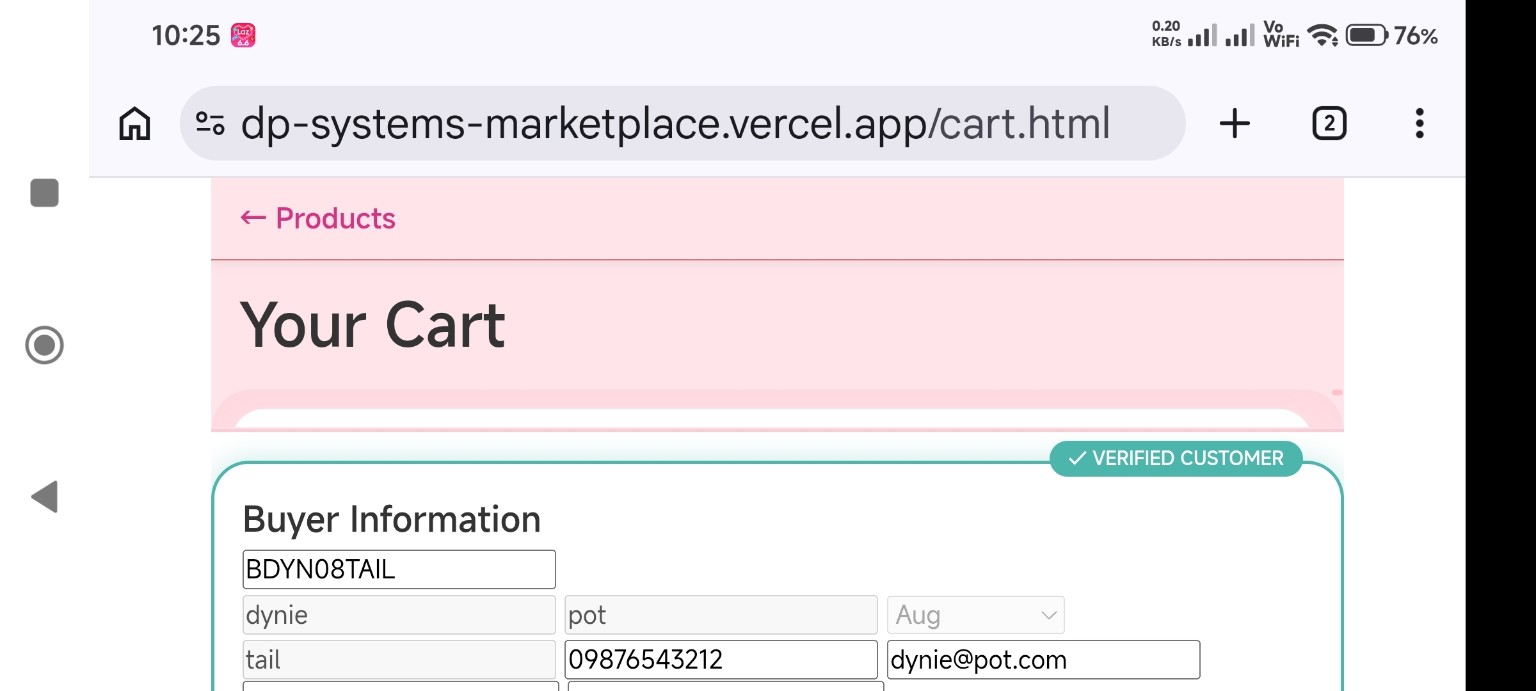
Checkout, tracking, empty-cart return, and dashboard views were adjusted to avoid confusing Android Back loops.
Cart, tracking, and review screens were checked in landscape with the keyboard open, then adjusted for natural scrolling.
Unreliable contact channels were hidden instead of being shown as broken buyer options.
Database Proof
The marketplace has real relationships behind the screens: sellers, buyers, products, orders, inventory, reviews, ratings, and contact data.
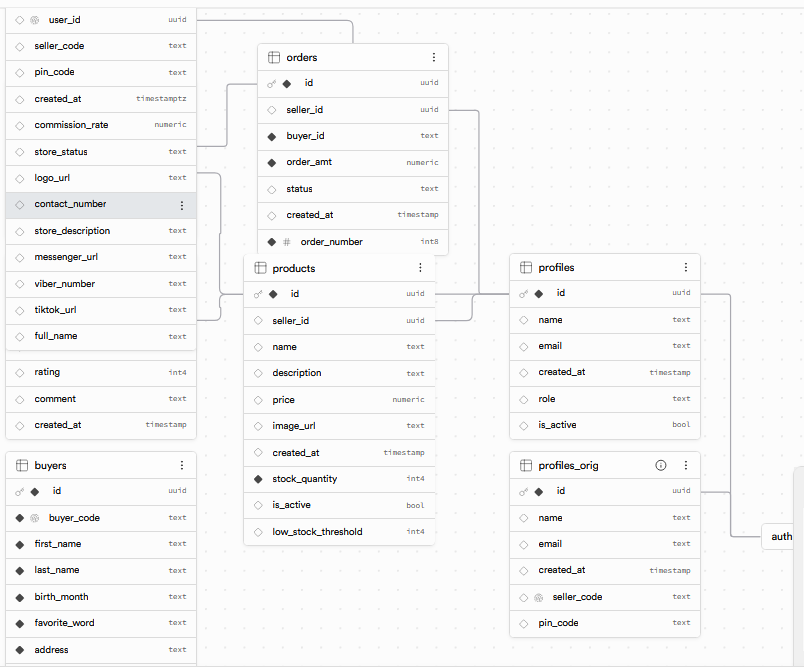
Products belong to sellers, orders connect buyers and sellers, and reviews/ratings attach to real marketplace activity.
Stock, product status, order totals, and checkout validation are handled as business rules, not just screen labels.
The schema supports RLS, seller ownership checks, and safer role-based data access.
Workflow Review
Send your current process, screenshots, database notes, or errors. I can help turn manual work into a clearer system for bookings, orders, dashboards, tracking, and daily operations.
Contact
Describe the business process, dashboard, booking flow, marketplace, or internal tool you need. Screenshots, table notes, database structure, and console errors are welcome.