Buyer Side
Buyers can browse products, add items to cart, check out as guests, track orders, contact sellers, and leave reviews for completed orders.
Portfolio Case Study
A seller-operations and checkout case study built with vanilla JavaScript and Supabase. The goal was to prove that a small-business marketplace can support guest buying, seller-owned dashboards, stock-safe checkout, order tracking, moderated reviews and ratings, and real mobile behavior without hiding the backend complexity.
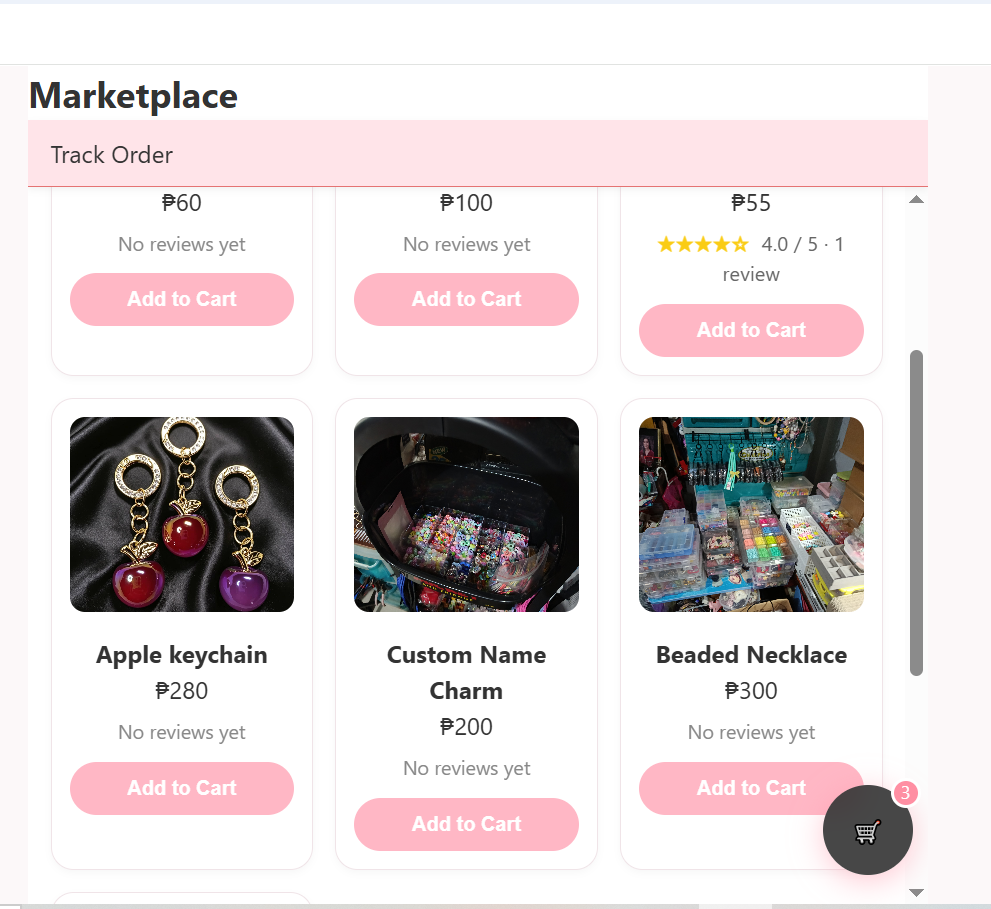
Buyer-facing storefront used to test product browsing, cart behavior, checkout, tracking, seller contact, and review flows.
Project Overview
The case study focuses on the difficult parts behind a marketplace interface: who owns each record, how seller dashboards stay isolated, how checkout avoids stale stock, how public tracking works without buyer login, and how reviews are moderated before they appear publicly.
Buyers can browse products, add items to cart, check out as guests, track orders, contact sellers, and leave reviews for completed orders.
Sellers can log in, complete onboarding, manage products, update order statuses, and moderate customer reviews from a dedicated dashboard.
The project uses Supabase Auth, relational tables, RLS policies, Storage, and PostgreSQL RPC logic for safer order creation.
Technical Architecture
The homepage shows the business value. This case study carries the heavier technical proof: database ownership, checkout rules, review moderation, mobile QA, and implementation decisions.
Strongest Technical Wins
The strongest parts of the build are not the card layout or dashboard visuals. They are the backend checks, ownership model, moderation path, and mobile edge-case fixes that protect the workflow.
Checkout revalidates active products and stock, groups items by seller, creates seller-specific orders, inserts order items, and deducts inventory through backend logic.
Dashboard queries use the seller record as the source of truth, keeping products, orders, stats, and reviews aligned with the authenticated seller.
Real Android testing covered landscape scrolling, floating cart positioning, keyboard constraints, checkout redirects, and Android Back behavior.
The Problem
Many small sellers need product listings, order tracking, buyer communication, and basic inventory control without the complexity of a full enterprise e-commerce system.
The Solution
I built a working portfolio build where guest buyers can place orders and authenticated sellers can manage their store through a dedicated dashboard.
Core Features
The project was designed to show a complete buyer-to-seller flow, with backend rules supporting the user interface.
Reviews & Moderation
Reviews were added as a real marketplace workflow, not just static text. Buyers can review completed orders, duplicate reviews are blocked, sellers moderate submissions, and approved reviews appear on the product page.
The tracking page shows review options only when an order status is completed, keeping reviews tied to actual purchases.
A buyer cannot repeatedly review the same product for the same order. The UI reflects already-submitted reviews.
The Seller Hub includes a Reviews section where pending reviews can be approved or hidden before appearing publicly.
Product cards display approved reviews while pending or hidden reviews stay out of the public marketplace view.
Checkout Logic
A single cart can contain products from different sellers. During checkout, the system groups the items by seller and creates separate orders for each seller. The final checkout path uses backend validation and transaction-style logic to reduce stock mismatch risks.
Products are added with seller information, price, quantity, and stock-related data.
The app checks whether products are still active and whether the requested quantity is still available.
Products from Seller A and Seller B are separated into different seller-specific order groups.
Checkout creates seller-specific orders, inserts order items, and deducts stock through PostgreSQL RPC/backend logic so the order and inventory update stay tied together.
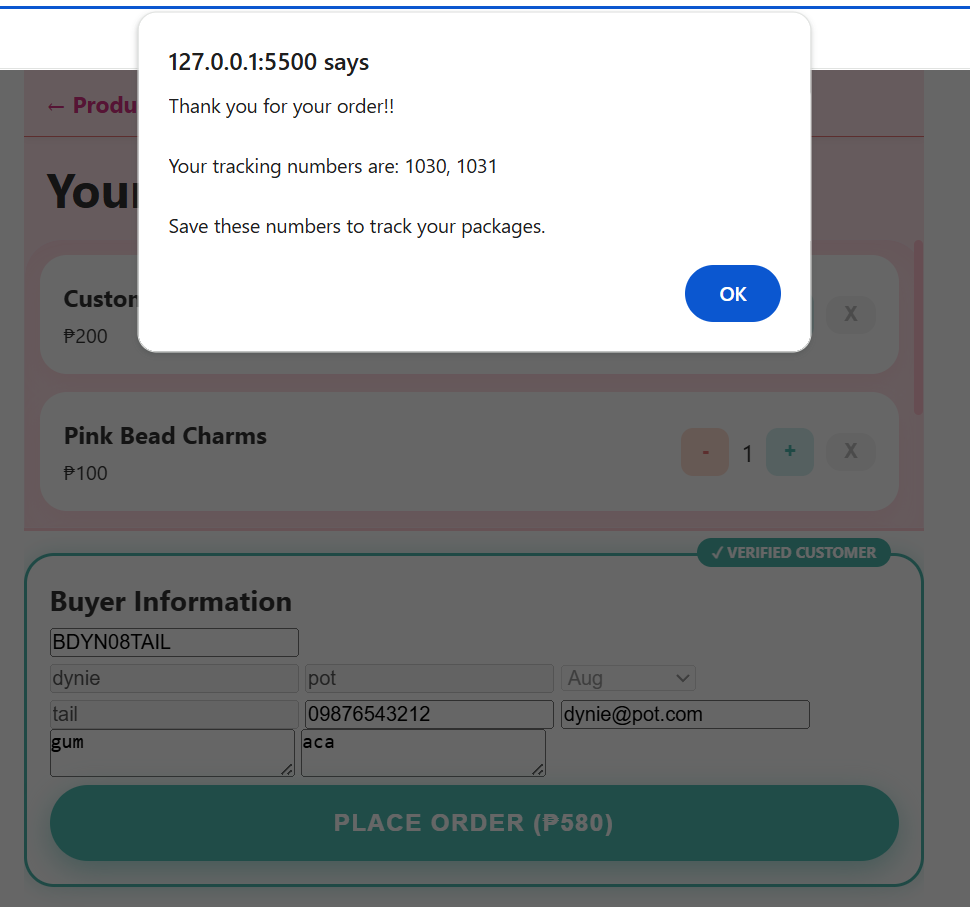
Multi-seller checkout proof showing separate order results for carts that contain products from more than one seller.
Engineering Notes
These are the kinds of details that separate a working business system from a static marketplace mockup.
Authenticated users are mapped to seller records before dashboard queries run. Products, orders, stats, and reviews are read through the seller context, not through loose profile assumptions.
The cart cannot be trusted by itself. Checkout rechecks active products and available stock before creating seller-specific orders and deducting inventory through backend logic.
Reviews are tied to completed orders, duplicate product/order reviews are blocked, and seller moderation controls which reviews become visible in the public marketplace.
Buyer tracking, review forms, empty cart redirects, checkout success, and Seller Hub sections were tested against Android Back behavior so users do not get trapped or accidentally exit a flow.
Screenshots
Buyer-facing product listing with product cards, prices, stock display, add-to-cart actions, and cart badge.
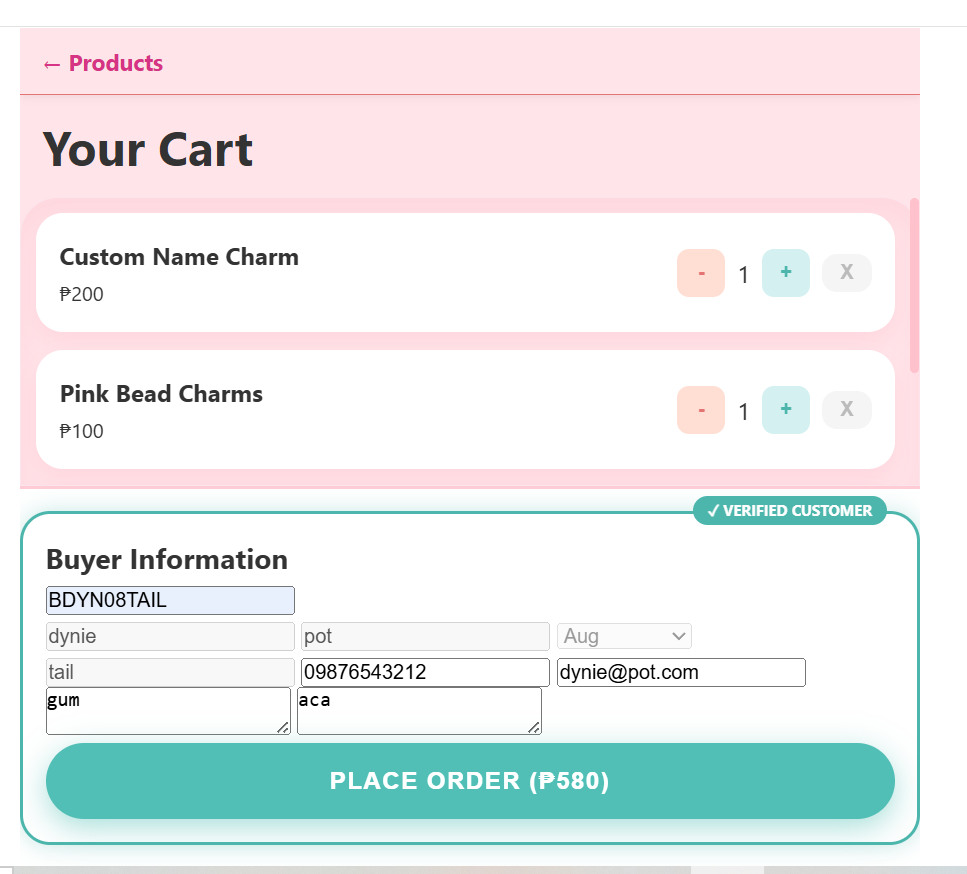
Cart page with buyer details, quantity controls, checkout validation, and multi-seller cart support.
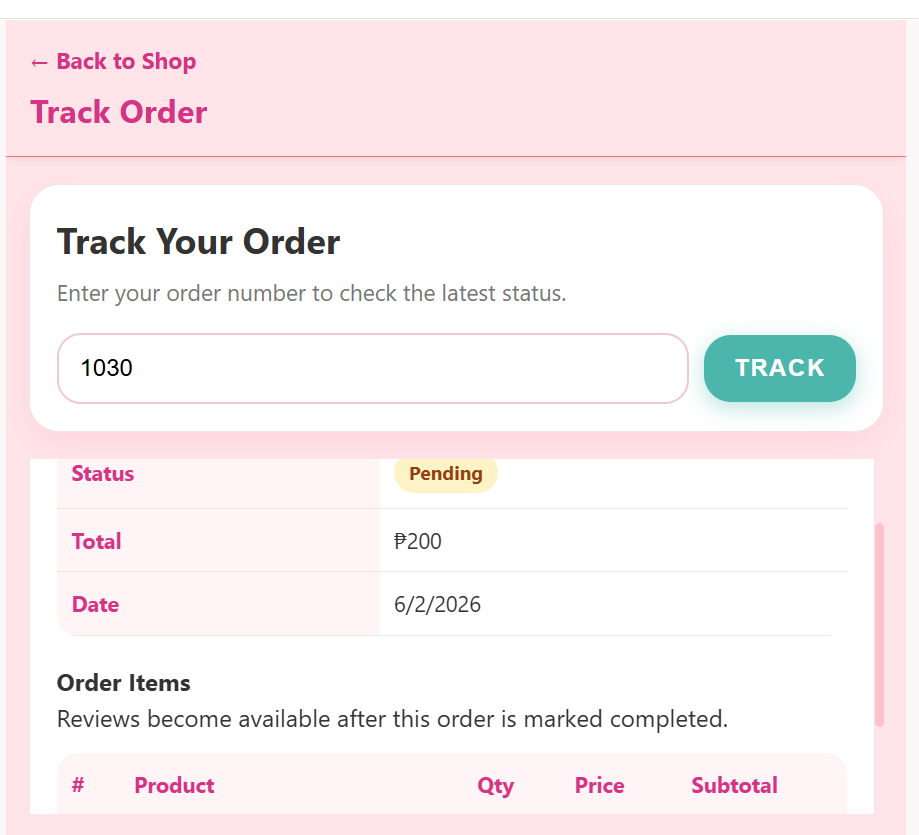
Public tracking page showing order status, ordered items, seller contact buttons, and review option for completed orders.
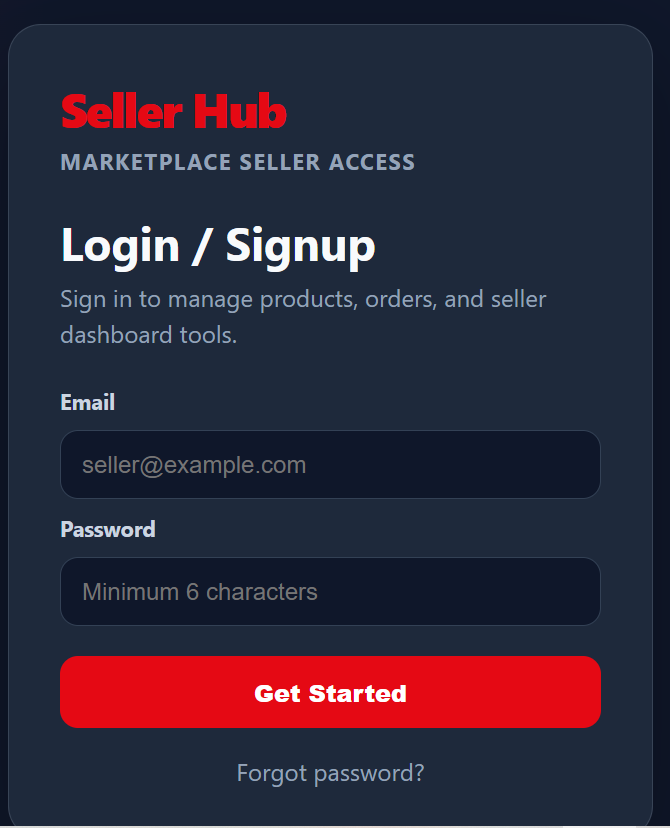
Seller authentication page using Supabase Auth, with password recovery support and seller-focused UI.
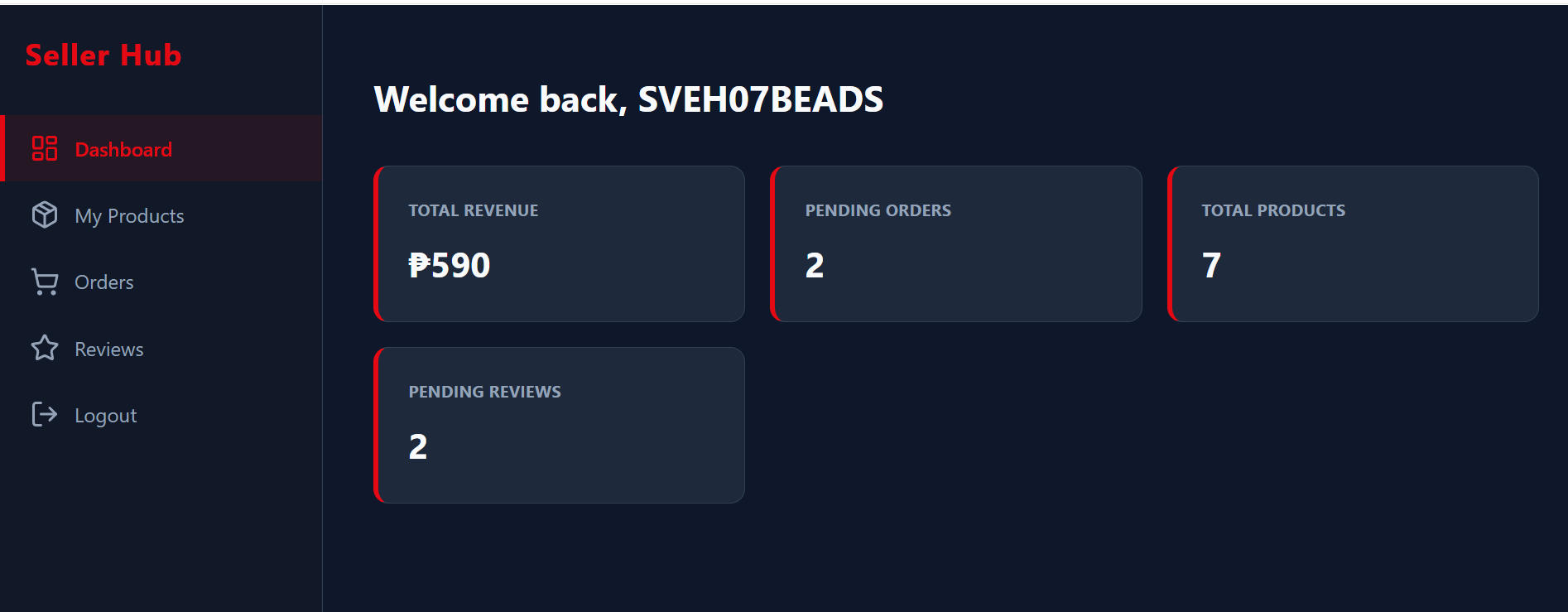
Dashboard overview with revenue, pending orders, active products, pending reviews, and seller management tools.
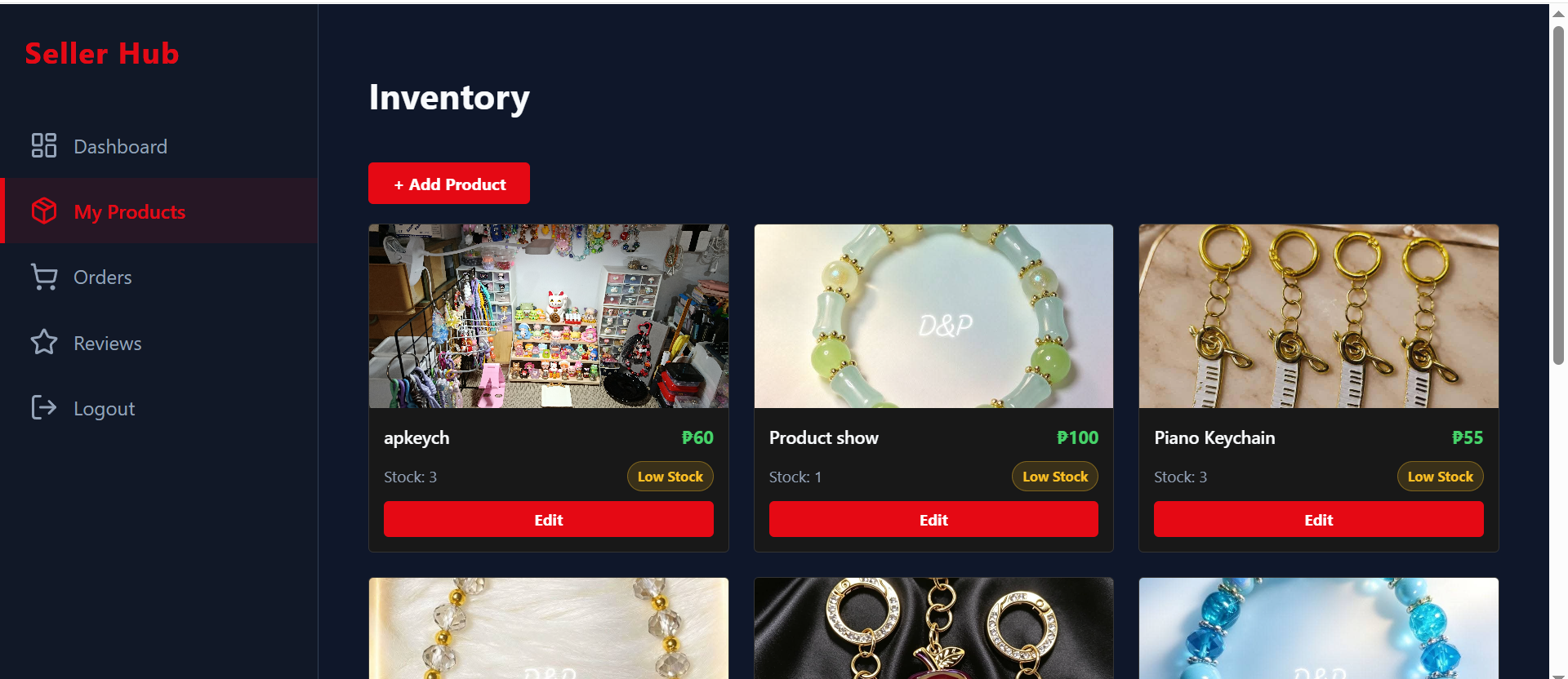
Product add/edit workflow with image handling, validation, price, stock, and product availability controls.
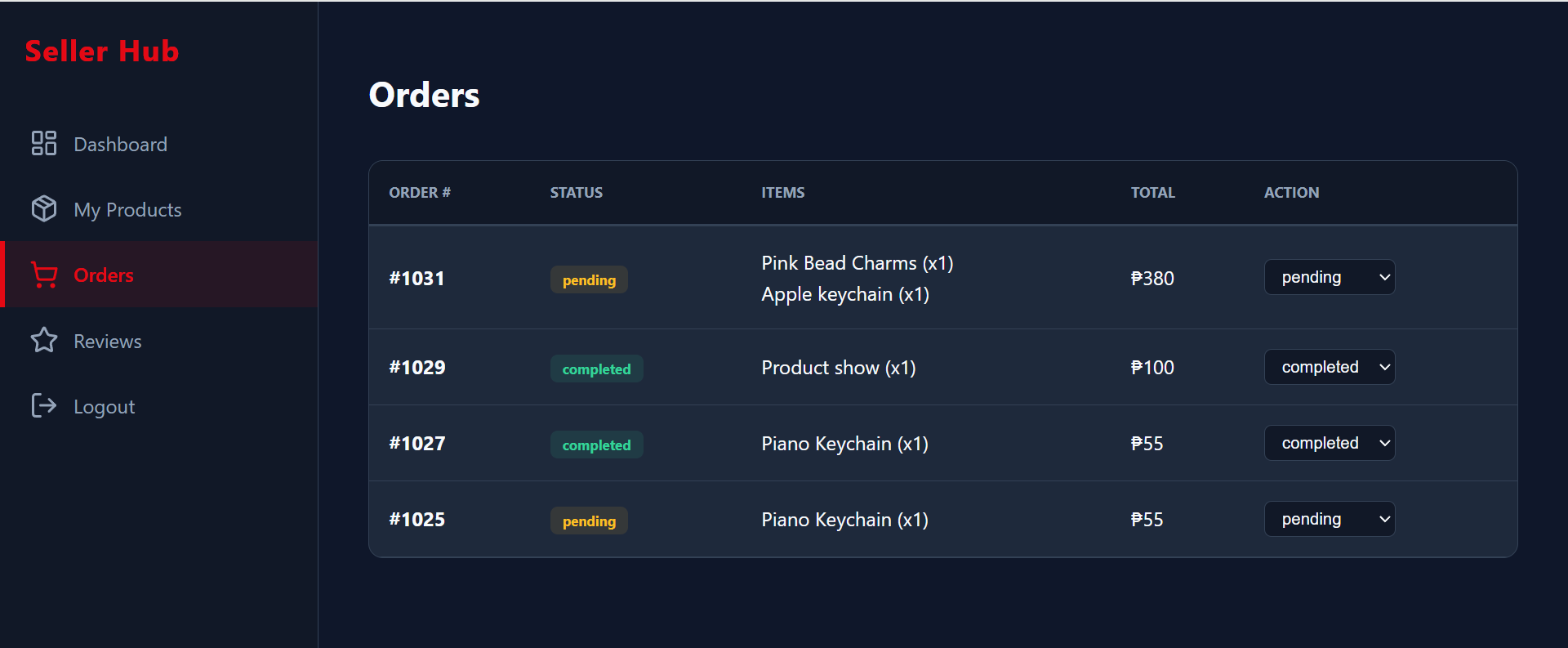
Seller order management interface with status updates that sync to the buyer tracking experience.
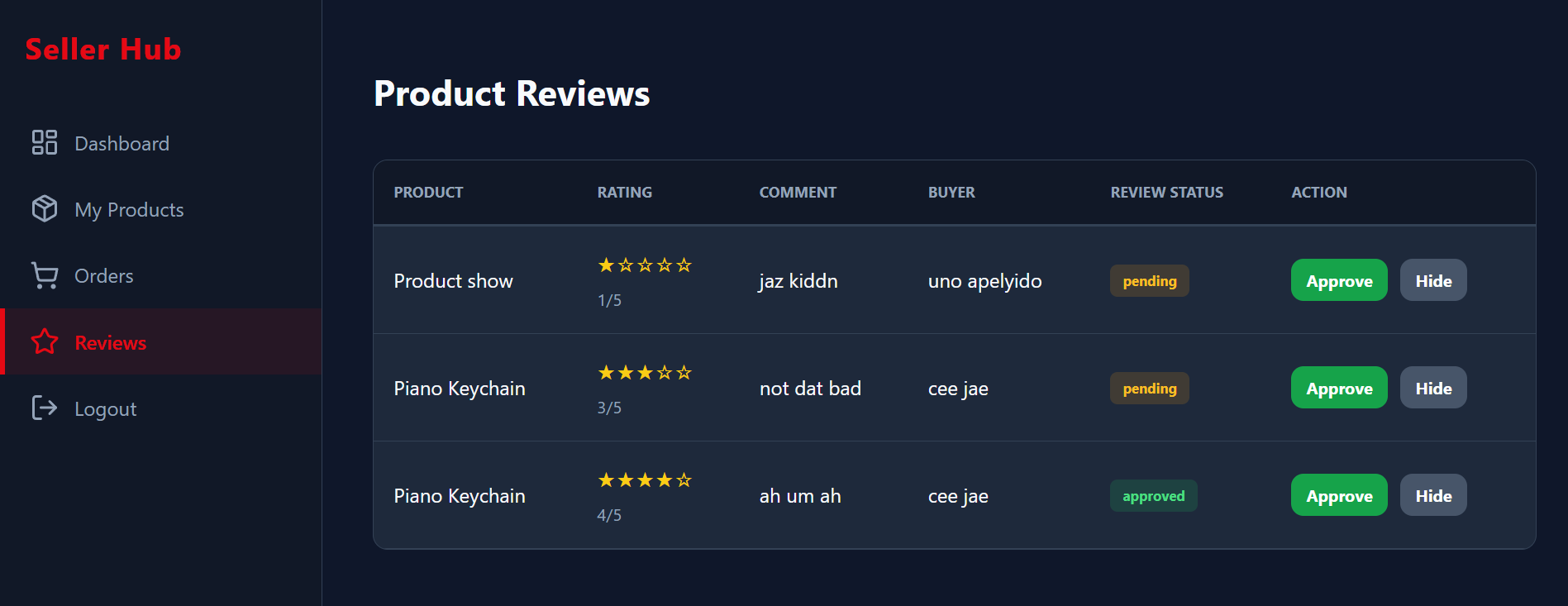
Seller review moderation workflow where pending buyer reviews can be approved or hidden.
Real-Device QA & DevTools
The marketplace was tested on a real Android phone using Chrome remote debugging. The QA pass covered portrait and landscape orientation, keyboard behavior, floating buttons, checkout redirects, Android Back navigation, dashboard section history, and external contact links.
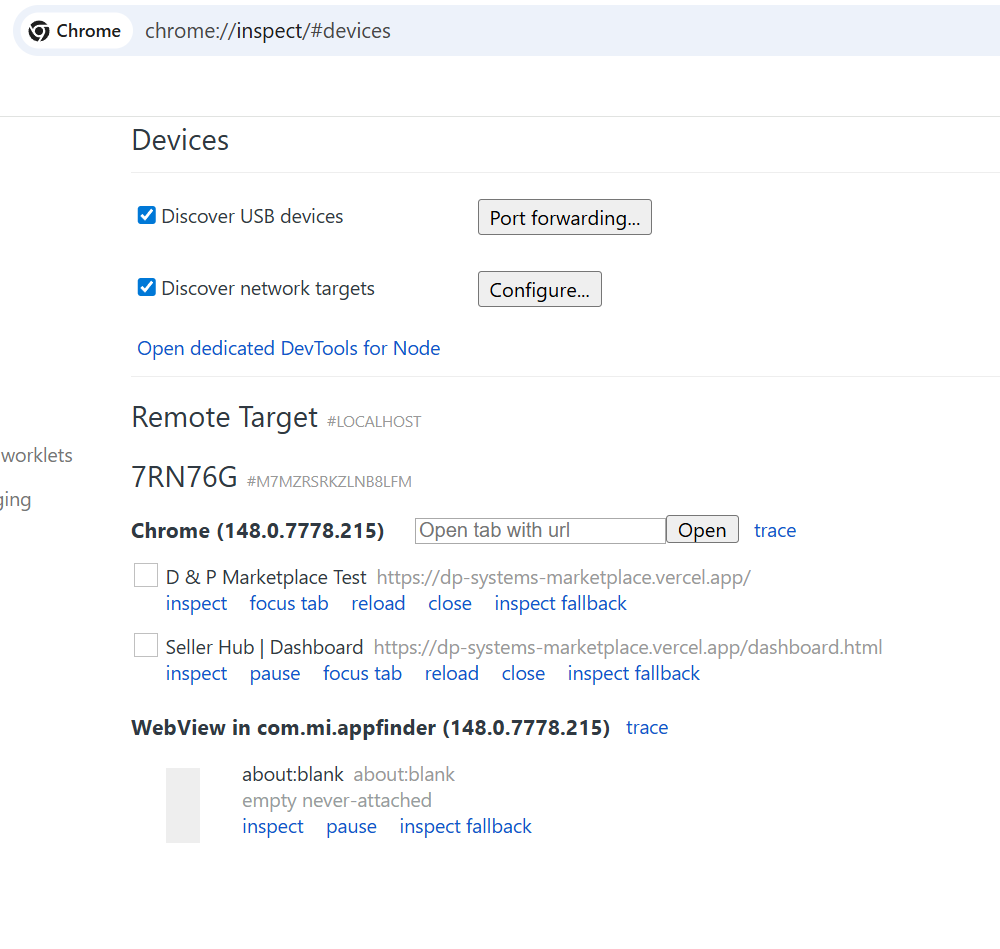
chrome://inspect with Android USB debugging to focus
live mobile tabs, inspect page behavior, and validate marketplace
flows beyond desktop browser resizing.
Checkout success, empty cart, Track “Back to Shop,” Seller Hub Orders/Reviews, and buyer review forms were adjusted to avoid confusing history loops or accidental app exits.
Buyer pages were hardened for short landscape screens: cart and track scrolling, cart floating button position, table overflow, and review form usability with the keyboard open.
Call/Text, Messenger, and TikTok were confirmed working. Viber deep links opened the app but did not reliably start chat, so the Viber button was hidden while the onboarding field remains available for future compatibility review.
Backend Design
The backend structure supports separate buyer and seller workflows. Sellers authenticate through Supabase Auth, while buyers can use a guest checkout flow.
Why it matters: seller dashboards must not leak products, orders, stats, or reviews across sellers. The case study uses seller-owned records as the operating context for dashboard behavior.
Why it matters: order creation and stock deduction need to stay tied together. Checkout logic belongs in controlled backend steps instead of relying only on client-side cart state.
Why it matters: public reviews affect trust. The project separates buyer submission, seller moderation, and public approved display.
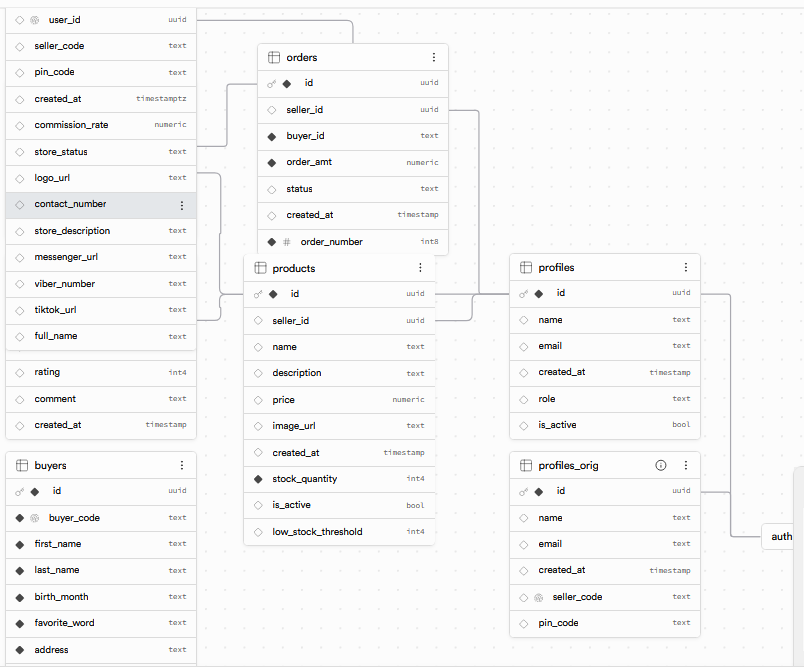
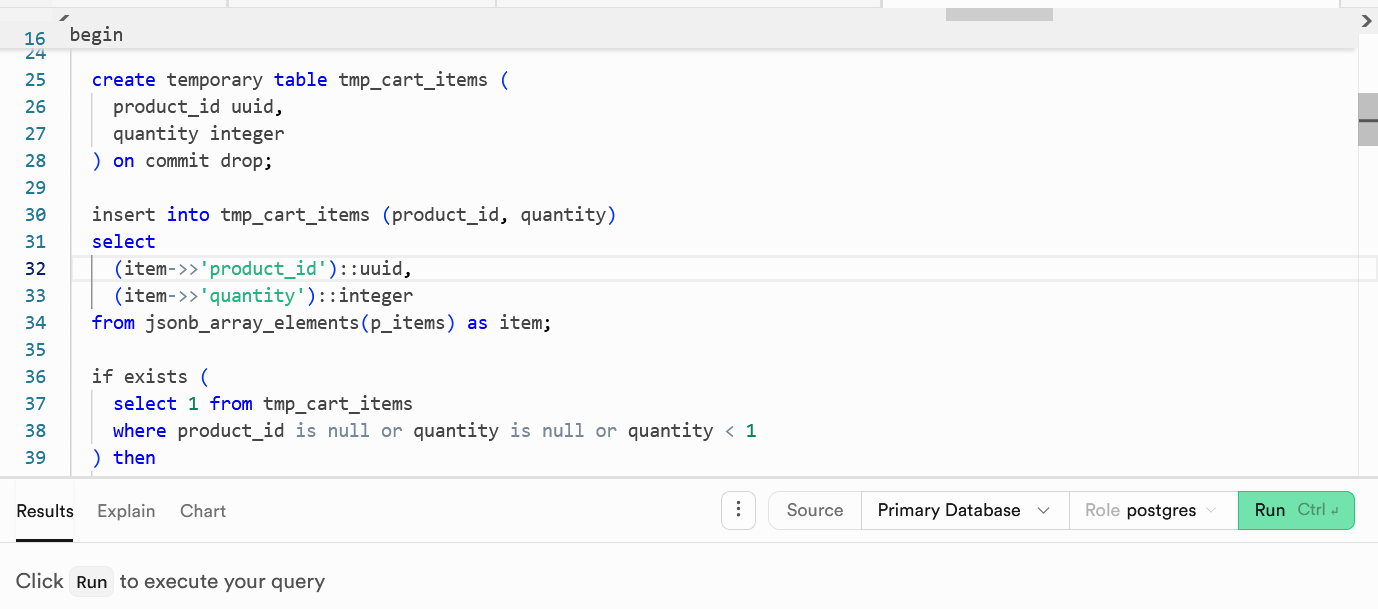
Supabase backend proof showing database structure and SQL logic behind the marketplace workflow.
Tech Stack
The project keeps the frontend simple while using Supabase for the backend, authentication, storage, policies, and database logic.
What This Project Demonstrates
This project demonstrates practical implementation skills beyond a static frontend demo.
Auth, tables, relationships, storage, and security policies were combined into one working marketplace flow.
The project handles real marketplace concerns such as seller ownership, stock control, checkout validation, and order status.
The project required resolving seller identity mismatches, RLS access issues, order creation logic, review moderation rules, mobile landscape bugs, and browser-history edge cases.
My Role
I designed and built the marketplace as a backend-oriented full-stack portfolio case study, with focus on business rules, seller ownership, SQL-backed checkout, QA, and documentation.
Future Improvements
These are optional future improvements that could turn the portfolio build into a more production-ready system.
Add buyer/seller cancellation rules, status transitions, stock restoration, and audit history as a separate workflow module.
Add payment integration, payment status tracking, receipt handling, and refund rules for production checkout.
Extend the real-device QA pass to iOS Safari, including safe areas, viewport height behavior, keyboard behavior, and contact link handling.
This marketplace portfolio build demonstrates backend workflows, seller dashboards, database rules, and practical full-stack implementation using Supabase and vanilla JavaScript.